
Ameego has updated the payroll settings page with a whole new look and functionality!
Our Payroll Export Guide has been updated accordingly with step by step instructions to setup and use this new functionality. Click HERE to view our new payroll guide.
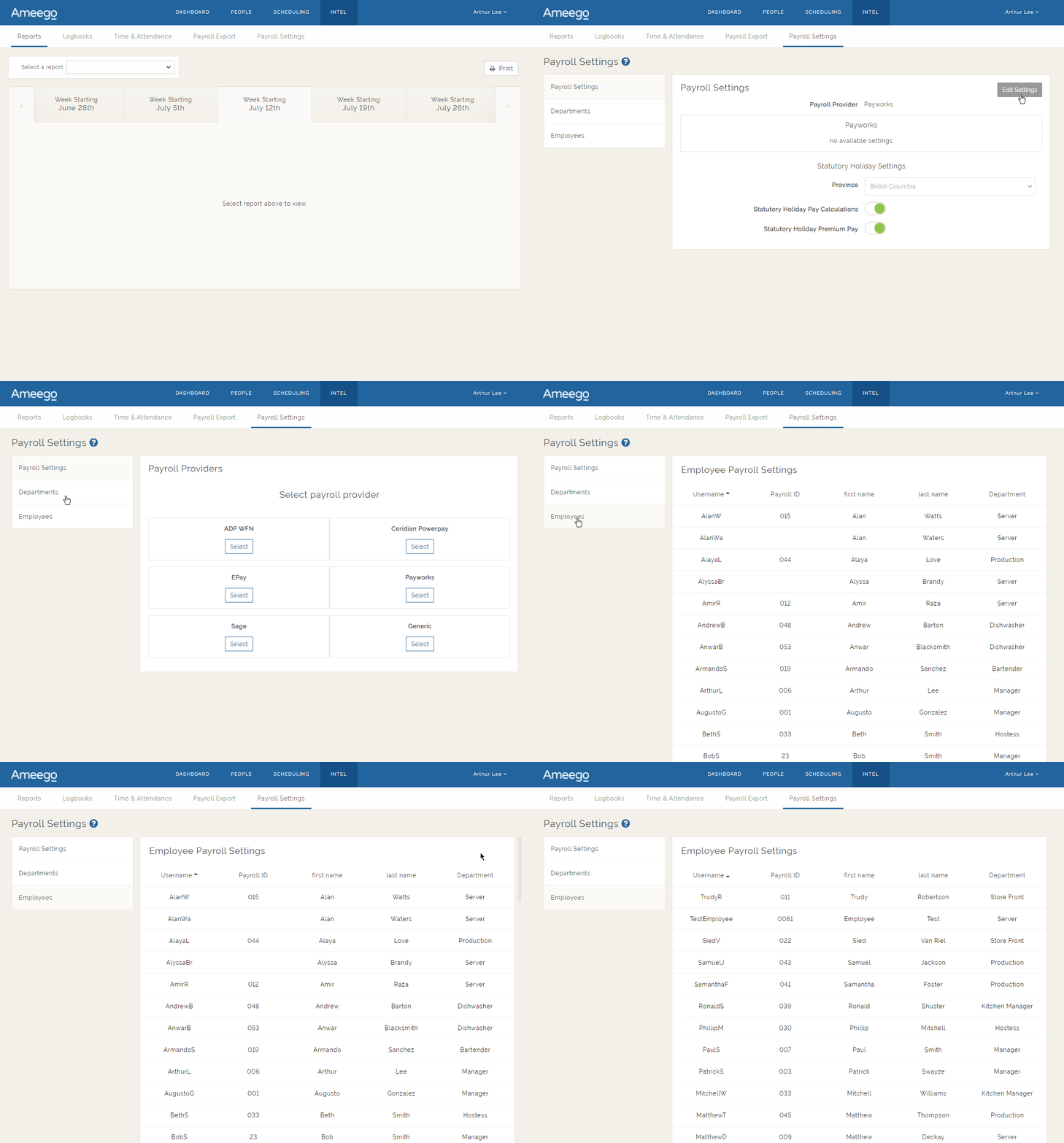
You can now enter all of your payroll related information for employees, departments and payroll provider on the payroll settings page. If you make any changes on the payroll settings page, it will automatically transpose to the related settings on the Employee Manager page. This will make it easier to update all of your payroll settings using one central area of the platform. Relevant setting changes made on the Employee Manager page will also update the applicable areas on the payroll settings page.
We have also added some new payroll providers including a ‘generic’ export that can be used if you are using an in house or custom payroll system that is not listed below.
You can choose from any of the following payroll providers:
- ADP WFN
- Ceridian Powerpay
- EPay
- Payworks
- Sage
- Generic (in house basic payroll export)
Here is a quick look at the new Payroll Settings page!
Be sure to read our new payroll guide by clicking HERE!
Comments
Please sign in to leave a comment.