
We have added some great new enhancements to the printed version of your Ameego schedule. These new options will allow you to control the type of information that is displayed on your printed schedules.
Click the ‘Print Schedule’ button on the ‘Manage Schedule’ screen to see these new options.

Here is an overview of all of the new options available:
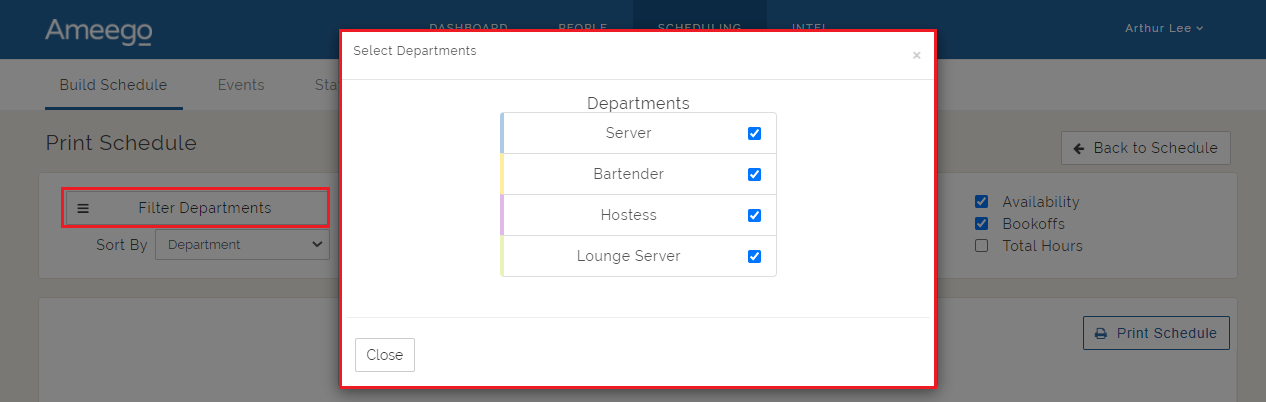
Filter Departments: Click this button and uncheck any department(s) you don't want to show on your printed schedule. The default is set to print all departments.
Sort by: You can sort the employees listed on the schedule by the following categories:
- Department, then username (default)
- Username
- First Name
- Last Name

Show/Hide options: You will have the ability to show or hide the following items on the printed schedule:
- Department headers
- Schedule title
- Employees with no shifts
- Department name on shift
- Badge name on shift
- Events
- Employee's availability
- Employee's bookoffs
- Total hours for each employee
Here is a quick look at all of the above options:
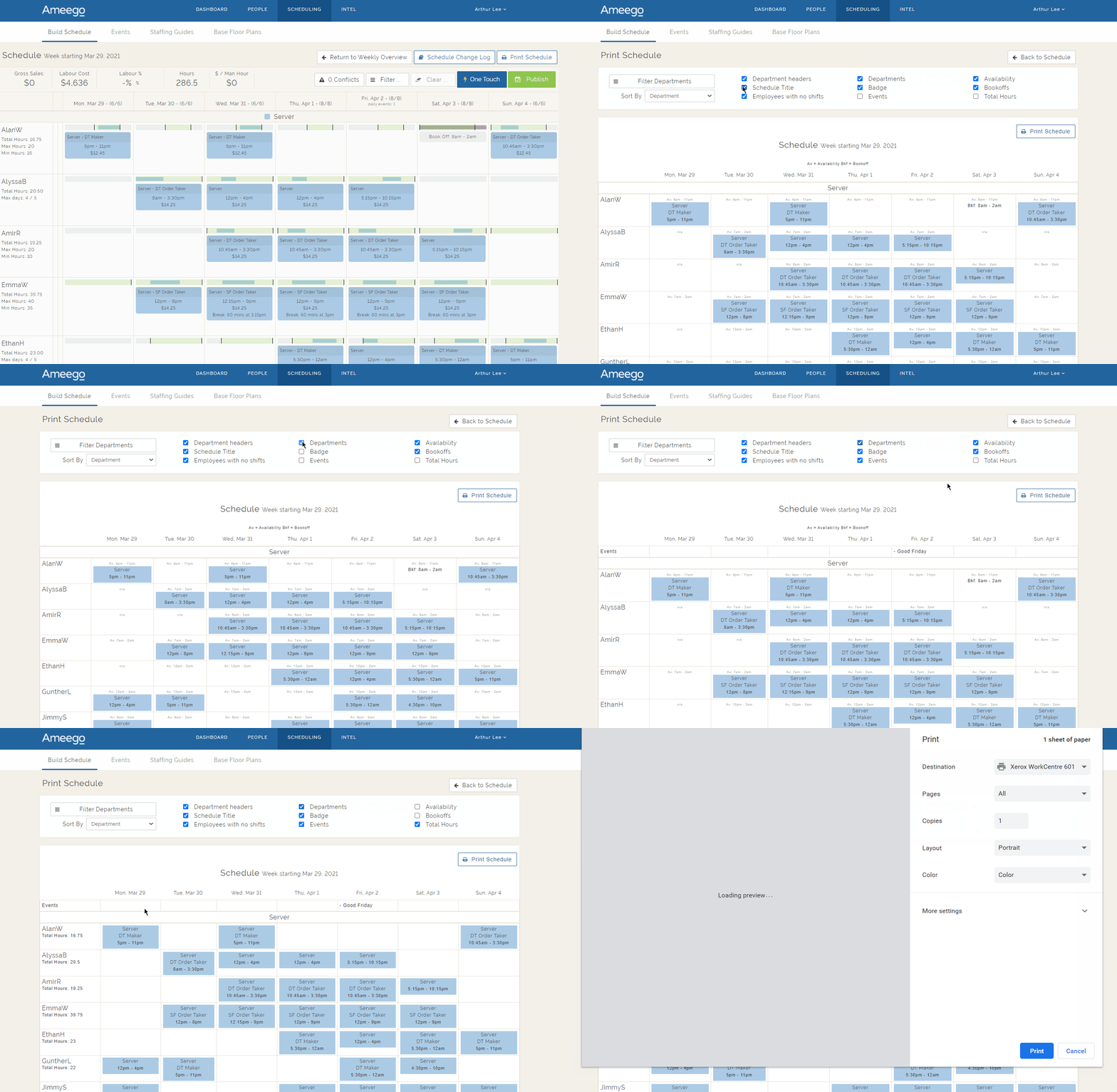
Once your filters are all set, click the ‘Print Schedule’ button to send the filtered view to your printer.
Comments
Please sign in to leave a comment.