
The Inbox Visibility setting allows you to control which users can see and respond to messages in the Ameego Anyware Inbox.
Full Visibility (Default Setting)
Full visibility gives all users with any permission level (manager, supervisor, regular employee), the ability to send, receive and read all messages in the Ameego Anyware inbox.
Limited Visibility
Changing the Inbox Visibility setting to ‘Limited visibility’ will only allow users with ‘Manager’ and ‘Supervisor’ permission levels to send messages to all other users.
Users with ‘Regular employee’ permission level will have the ability to send and respond to messages sent by users with ‘Manager’ or ‘Supervisor’ permissions only.
Users with the ‘regular employee’ permission level will NOT be able to send messages to other staff members.
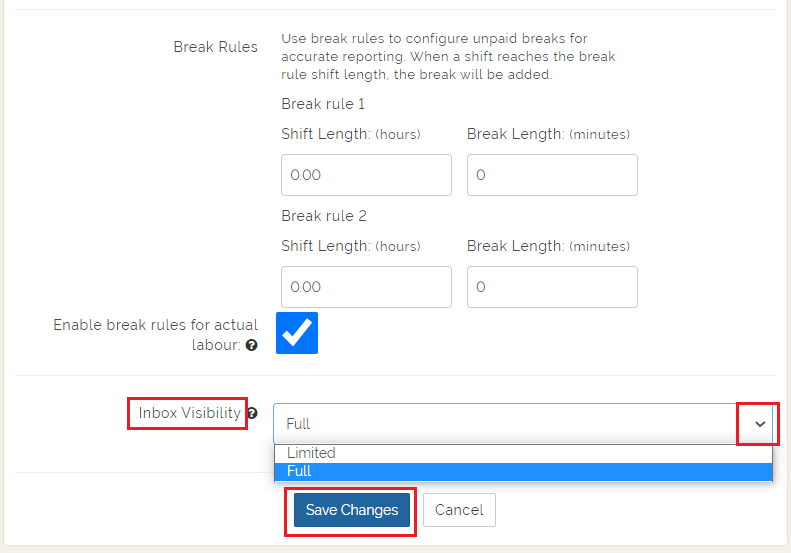
The setting for this feature can be found by navigating to the 'Settings' tab from the Dashboard.
Click 'Edit Settings' to make changes to this setting as described above. Be sure to 'Save Settings' once you have changed this field.
Comments
Please sign in to leave a comment.