
We have added a setting in Ameego that will allow you to provide privacy in the area of employee contact information.
We have added a new global setting that will allow managers to control if your employees can view the contact page in Ameego Anyware.
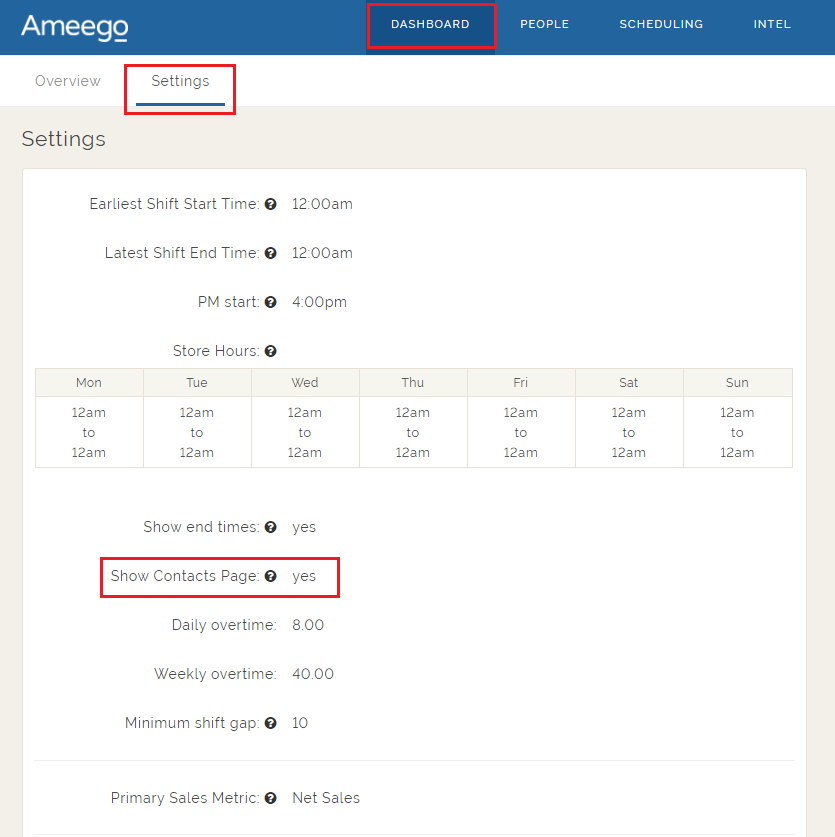
A new setting called ‘Show Contact Page’ is now available in your global settings. The default setting is yes, which will allow your ‘Regular Employees’ (permission level) to see the contact page in Ameego Anyware as usual.
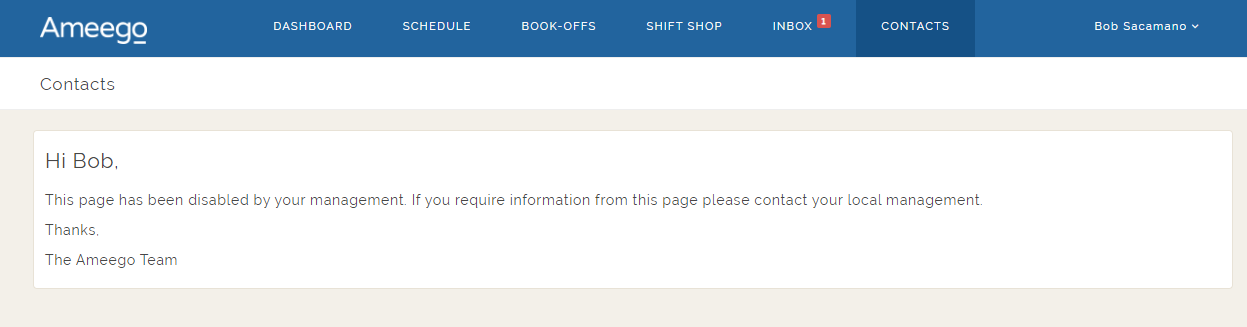
By changing this setting to ‘No’, your ‘Regular Employees’ will not be able to view the contact page as shown below.
To change this setting, use the steps below.
- Navigate to the ‘Settings tab via the Dashboard.
- Click ‘Edit Settings’
- Uncheck the box beside ‘Show Contact Info’
- Save Settings
Hide Contact Details
This setting will hide the email address and phone number from regular employees.
The previous default setting was to ‘Show Contact Details’. This has changed to default to ‘Hide Contact Details’.
If the location chooses to show the contact page and an employee has chosen to ‘Hide Contact Details’, other regular employees will not see the contact details for that employee. However, someone with the permission level of Manager or Supervisor will be able to see the contact details for the employee.
This setting can be found in Ameego Anyware, in the ‘My Profile’.
Comments
Please sign in to leave a comment.